
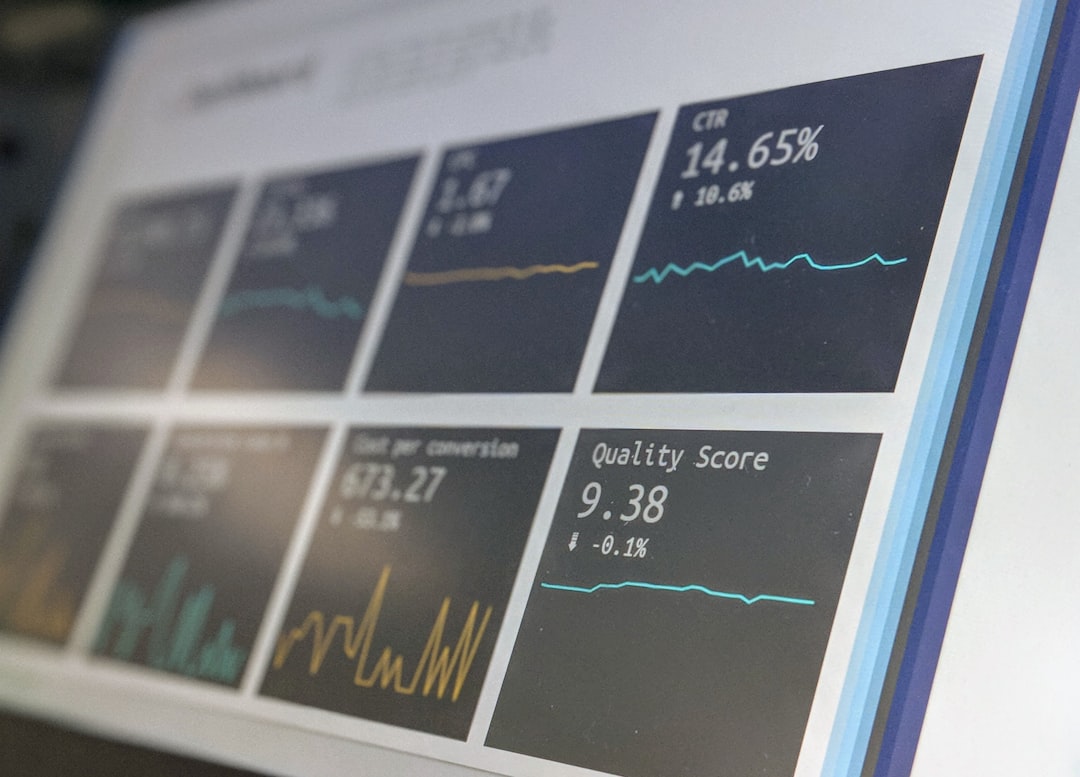
A short link is a redirect with a memory. Someone clicks go.example.com/spring, the server looks up where that points, writes down what it saw, and sends them on. The writing-down step is the entire product, and it is the step most link shorteners describe in marketing language instead of describing the fields in a table.
So here is the table.
What arrives with a click
An HTTP request carries a small, fixed set of things. None of it is volunteered by the person clicking. All of it is what a browser sends by default to any server it talks to:
- The IP address the request came from.
- A
User-Agentstring naming the browser, its version, and the operating system. - An
Accept-Languageheader listing the languages the browser is configured for. - A
Refererheader naming the page the link was on. Sometimes. More on that below. - Whatever is in the URL itself, which is where UTM parameters live.
That is the raw material. Every number on an analytics screen is derived from those five things, and no link shortener has access to more than that. If a product claims otherwise, it is either running a script on the destination page or it is describing something it does not do.
What gets derived, and how well
Location comes from the IP address, looked up against a geolocation database. The three levels are not equally trustworthy, and treating them as if they were is the most common way to misread a dashboard.
Country is dependable. Regional internet registries allocate address blocks by country, so the mapping is close to authoritative and the errors are mostly VPN users and satellite connections.
Region is usually right and worth reading.
City is a guess. It is often correct, and it is wrong in a specific direction: it tends to report where the network terminates rather than where the person is. Mobile traffic is the clearest case. A phone in a small town frequently resolves to whichever city the carrier routes through, so a city breakdown for a mobile-heavy audience will quietly over-count a handful of large cities. Read country as fact and city as a hint.

Device, browser and OS come from parsing the User-Agent string. This is pattern matching against known formats, and it has two problems.
The first is ordering. Edge, Opera, Brave, Vivaldi and Samsung Internet all carry the word "Chrome" in their user agent, because they are all Chromium. A parser that checks for Chrome before checking for the others reports every one of them as Chrome. That is not a hypothetical failure mode. It is the single most common bug in this category, and you can spot it in a dashboard that shows a suspiciously round Chrome share and no Edge at all.
The second is that the string is getting less useful on purpose. Browsers have been freezing and trimming what they report for years, moving the detail behind User-Agent Client Hints, which a server has to ask for. Device and browser breakdowns are still worth having. They are just less precise than they were, and they will keep getting less precise.
Language comes straight from Accept-Language. It says what the browser is configured for, not what the person speaks. A Brazilian developer running an English-language operating system reports en, and no amount of processing will turn that into pt-BR.
The referrer is mostly missing, and that is fine
The referrer is the field people expect the most from and get the least, so it deserves its own explanation rather than a footnote.
Browsers withhold it in a growing number of cases. A link opened from inside a native app, so Instagram, WhatsApp, or a mail client, usually sends nothing at all. Most sites now send strict-origin-when-cross-origin, which gives you the domain and never the path. A link that was typed, pasted, or scanned from a QR code has no referrer by definition, because there was no referring page.
What this means in practice is that a large share of clicks show up as "Direct", and Direct is not a traffic source. It is the absence of one. A dashboard that reports Direct as the top referrer is telling you that browsers did not say, not that people arrived out of nowhere.
If knowing where traffic came from actually matters to you, better referrer parsing is not the answer, because there is nothing left to parse. Tag the link with UTM parameters before you publish it. Those travel in the URL, where no privacy setting strips them, and they survive being pasted into a chat window. A referrer tells you what the browser felt like disclosing. A UTM tag tells you what you decided to call that placement.
What a click event holds
Every click becomes one row: the link, the timestamp, whether it came from a QR code, the derived country, region and city, the device, browser, operating system and language, the referrer, and any UTM parameters on the URL. Alongside it, the IP address the location was derived from.
That last one deserves saying out loud rather than burying in a list.
About the IP address
An IP address can identify a person, which puts it in a different category from a browser name. It gets stored because it is what the location is computed from, and because it is what makes abuse investigable when somebody points a link somewhere they should not have.
In Lua it is never shown in the analytics screens and it never leaves the system. Delete the link and it goes with it. If holding it at all is one field more than you want, Lua is open source, so you can run it on your own server and the address never reaches anyone else's infrastructure. That option is the entire reason the project is not hosted-only, and it is the part of the comparison with Bitly that has nothing to do with pricing.
What none of it can tell you
It is worth being as clear about the limits as about the fields, because the limits are what stop a reasonable question from getting an unreasonable answer.
Click data cannot tell you who clicked. There is no identity in a redirect. No cookie is set at the redirect either, so the same person clicking two of your links is two unrelated rows, and a "unique visitors" number is an estimate built from what little the request carried.
It cannot tell you whether they stayed. The redirect is the last thing the shortener sees. What happened on the destination page belongs to the destination, and joining the two requires something running there.
It cannot tell you whether a human clicked at all. Link previews, security scanners and chat unfurlers all fetch URLs. Post a link in Slack and it gets fetched before anyone has read the message. The well-behaved ones identify themselves in the user agent and can be filtered. The rest cannot, which is why a link shared into a large group chat sometimes shows a click count that arrives before the message does.
A short link measures the moment of the click and nothing on either side of it. That is a narrow window. It is also an honest one, and knowing exactly how wide it is makes the numbers inside it far more useful than a dashboard that implies it can see further.
If you want to see what that looks like on your own links, Lua is free to start and keeps every field above on every plan.